If you’ve opened WhatsApp recently and noticed a new “Username” option sitting in your profile settings, you’re not imagining things. WhatsApp is rolling out one of the most requested changes in its history, and it’s a genuinely big deal: for the first time since the app launched, you won’t have to hand over your phone number just to start a conversation.
This guide answers everything you’re probably searching for right now. What a WhatsApp username actually is, how to create one on Android and iPhone, the exact WhatsApp username rules you need to follow, why the option might still be missing from your account, and how the new privacy controls work once you’ve claimed your handle. By the end, you’ll know exactly where things stand with the WhatsApp username feature in 2026 and what to do next, whether you’re ready to set yours up or still waiting for it to appear.
Stuck on what to name your WhatsApp account? Try our free Name Generator and find a username you’ll actually love.
Get instant name ideas no signup needed
What Does a WhatsApp Username Mean?
In simple terms, a WhatsApp username is a unique handle, written with an @ symbol in front (for example, @Sarah.codes), that other people can use to message you instead of typing in your phone number. Per WhatsApp’s own Help Center, a username is “an optional feature that lets you create a unique identifier… to keep your phone number private,” and it always appears with an @ symbol so it’s easy to tell apart from your display name or saved phone number.
That’s the WhatsApp username meaning in one sentence: it’s your phone number’s stand-in for people who don’t already have you saved as a contact.
What Is a WhatsApp Username?
A WhatsApp username is a unique, public identifier something like @Sarah.codes or @TravelWithAhmed that lets people message you without knowing your phone number. Instead of typing in a ten-digit number to start a chat, someone can simply search for your username (if you’ve shared it with them) and reach you directly.
This is a meaningful shift. WhatsApp has over 2.5 billion monthly active users, and for nearly its entire existence, every one of those accounts has been tied to exactly one thing: a phone number. If you wanted to talk to someone, you needed their number. If they wanted to talk to you, they needed yours. That design made WhatsApp universal, but it also meant every new contact, every marketplace buyer, every networking acquaintance got a permanent link to one of the most sensitive pieces of personal data you own.
A unique username breaks that link. You can hand it out freely on a business card, in a Discord bio, on a dating profile without exposing the number tied to your bank, your two-factor authentication, or your closest contacts.
Is It Replacing Phone Numbers?
No, and this is an important point that some early coverage got wrong. WhatsApp usernames are an optional layer on top of the existing phone-number system, not a replacement for it. You’ll still need a phone number to register a WhatsApp account in the first place, and your existing contacts will continue to message you exactly as before. The username simply gives you a second, more private way for new people to reach you.
Read Also: Funny Usernames for Games:500+ Hilarious Ideas to Stand Out 🎮😂⭐
Benefits of Using a WhatsApp Username
Setting one up isn’t just a cosmetic change it has a few practical, real-world advantages worth knowing before you decide whether to bother:
- Phone number privacy. Per WhatsApp’s own Help Center, once you have a username, “your phone number will not be visible when you message or call anyone who doesn’t already have it saved in their contacts.”
- Protection from reverse number lookups. Without your number floating around publicly, you’re not exposed to phone-number search tools and spam databases the way you would be sharing digits directly.
- More confident sharing in public spaces. A username is something you can comfortably post on a resume, a business card, a marketplace listing, or social media bio a phone number rarely feels as safe to broadcast that widely.
- Consistent identity across Meta apps. If you already carry a recognizable Instagram or Facebook handle, you can extend that same identity to WhatsApp.
- Selective control over first contact. Pairing your username with a username key means strangers need more than just your handle to reach you the first time.
- Cleaner professional image. For freelancers, consultants, and small business owners, a memorable username can look more polished on marketing material than a string of digits.
WhatsApp Username vs Display Name vs Phone Number
This is where a lot of confusion happens, so let’s clear it up. Your display name (sometimes called your profile name) is the name your existing contacts already see usually your real name or a nickname. Your phone number is the original way WhatsApp accounts have always worked, and it remains required for registration. And Your username is the newest of the three, designed specifically to reduce how often your phone number needs to be shared.
Here’s how all three compare side by side:
| Feature | Display Name | Phone Number | WhatsApp Username |
|---|---|---|---|
| Uniqueness | Not unique many people can share one | Unique to your SIM/registration | Globally unique, no duplicates |
| Visibility | Seen only by saved contacts | Required for account setup; visible to anyone who has it saved | Visible to anyone you choose to share it with |
| Purpose | Personalization | Account identity and registration | Privacy-friendly contact method |
| Searchable | No | No public directory | No public directory must be known exactly |
| Required to use WhatsApp | Yes (set during setup) | Yes, always | No — entirely optional |
| Can be changed | Yes, anytime | Only through a number-change process | Yes, with a limit on frequency |
In short: your phone number is what WhatsApp is built on, your display name is who you are to people who already know you, and your username is how new people can reach you without learning your number first.
WhatsApp Username vs. Telegram, Signal & Other Apps
If this sounds familiar, it’s because rival messaging platforms have offered usernames for years. Telegram and Signal both let users connect via handles instead of phone numbers, and WhatsApp’s version is, by its own framing, catching up to a feature its competitors have long offered as a privacy advantage.
Here’s how WhatsApp’s approach compares:
| Capability | Telegram | Signal | |
|---|---|---|---|
| Username required to message | No (number still works) | No | No |
| Public directory/search | No | Yes (searchable) | No |
| Duplicate names allowed | No — must be globally unique | No | No |
| Character limit | 3–35 characters | 5–32 characters | Varies |
| PIN/key to restrict first contact | Yes (Username Key) | No native equivalent | No native equivalent |
The standout difference is WhatsApp’s Username Key, a PIN-based control that Telegram and Signal don’t offer in quite the same form more on that shortly. The other key difference: WhatsApp usernames are not searchable in a public directory. You can’t browse for people the way you can on Telegram. Someone has to already know your exact username to message you, which is a deliberate anti-harassment and anti-spam design choice.
How to Create or Reserve Your WhatsApp Username (Step-by-Step)
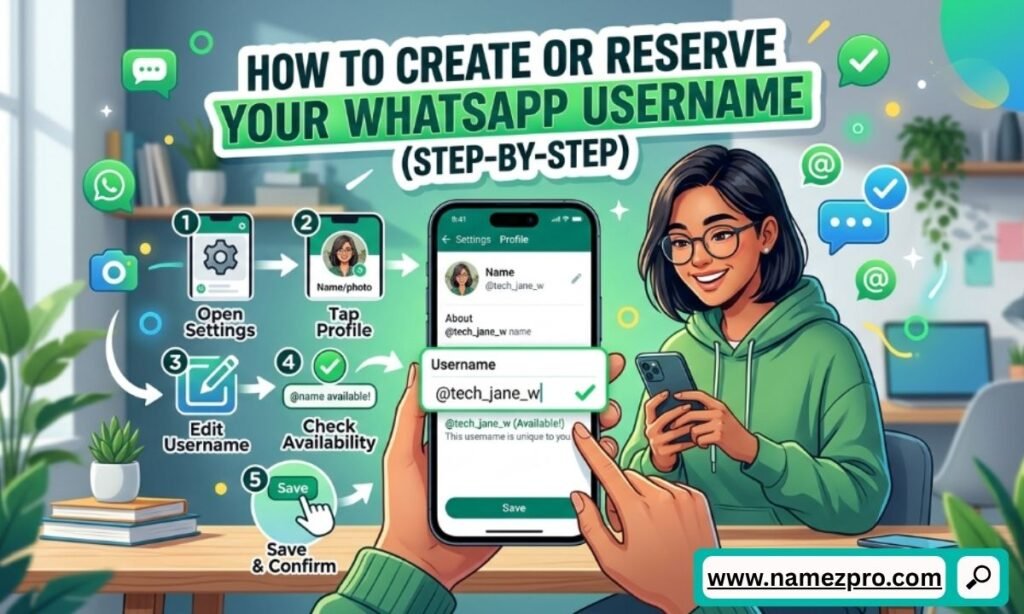
Setting up your username takes less than a minute once the feature is live on your account. Here’s the WhatsApp username setup process for each platform.
On Android
- Open WhatsApp and tap the three-dot menu in the top-right corner.
- Select Settings, then tap your profile.
- Tap Create username (or Reserve username if the feature is still rolling out in your region).
- Type your preferred handle. WhatsApp checks username availability in real time a green confirmation means it’s free to claim.
- If your first choice is taken, WhatsApp will generate suggested alternatives based on what you typed.
- Tap Save, then Done.
And On iPhone
- Open WhatsApp and tap the Settings tab in the bottom-right corner.
- Tap your profile at the top of the screen.
- Select Username, then Create username (or Reserve username, depending on rollout status).
- Enter your desired handle and wait for the availability check.
- Choose from suggestions if needed, then tap Save > Done.
On WhatsApp Web or Desktop
Currently, username reservation and creation are only available on the mobile app — not on WhatsApp Web or the desktop client. If you’re trying to set this up from your laptop, you’ll need to switch to your phone for now. This is consistent with how WhatsApp has historically rolled out new account-level features first to mobile before extending them to desktop.
“Create” vs. “Reserve” What’s the Difference?
This trips a lot of people up, so here’s the distinction in plain terms:
- Reserve username: Available in regions where the full feature hasn’t launched yet. It locks in your chosen handle so nobody else can take it, but it won’t be usable for messaging until WhatsApp activates usernames in your area.
- Create username: Available once the feature is fully live in your region. Your username becomes immediately active and usable.
If you only see “Reserve” right now, that’s not a bug it means your account is in the queue for the next phase of the rollout.
Read Also: Funny Chinese Names: 500+Clever, Cute & Hilarious Ideas 😂
WhatsApp Username Rules & Character Requirements
WhatsApp has published clear username requirements and username guidelines, and understanding them upfront saves you from picking a handle you’ll have to immediately change.
Key WhatsApp username rules:
- Length: Usernames must be between 3 and 35 characters.
- Uniqueness: Every username is globally unique. There’s no discriminator or numbered tag system like Discord uses once it’s taken, it’s gone, full stop.
- Allocation: It’s first-come, first-served, with one major exception (see below).
- Content policy: There aren’t heavy restrictions on character types, but your chosen username can’t violate WhatsApp’s standard community and acceptable-use policies no impersonation, no abusive language, no rights-infringing names.
- No public search/directory: Even though it’s unique, your username won’t appear in a searchable list. Someone must already have the exact string to reach you.
Reserved names: WhatsApp has stated it’s holding back certain handles for celebrities, VIPs, and organizations to prevent impersonation, similar to verified-handle policies you’d see on other major platforms. If you’re trying to claim a famous brand name or public figure’s name “just in case,” expect it to already be locked.
Expert tip: Because usernames are permanent and globally unique once claimed, treat your first pick the way you’d treat a domain name not a throwaway nickname. If you plan to use WhatsApp for business outreach, freelancing, or networking, choose something professional and easy to say out loud, since you’ll likely be sharing it verbally as often as in writing.
Can’t find an available username? Our free Name Generator at NamezPro.com gives you fresh, creative ideas in seconds.
Get instant name ideas no signup needed
WhatsApp Username Ideas and Examples
If you’re stuck on what to choose, a few practical approaches work well:
- Name-based:
@JohnCarter,@Priya.Sharma - Profession-based:
@DesignWithMaya,@CoachAhmed - Brand-aligned: Matching your existing Instagram or Facebook handle (more on why this matters below)
- Niche/hobby-based:
@RunWithLena,@BakingByOmar
Avoid anything with excessive numbers or special characters tacked on just because your first choice was taken it makes the handle harder to remember and share verbally.
How to Claim Your Instagram or Facebook Handle on WhatsApp
Here’s a detail most coverage of this update has missed: if you already have a recognizable Instagram or Facebook username, WhatsApp’s own Help Center confirms there’s a path to carry that same handle over.
A few practical things to know about this crossover, per WhatsApp’s official documentation:
- If you claimed your username from Instagram or Facebook, you need to actually download and use WhatsApp to keep it. If you don’t, WhatsApp states your claimed username “may become available for others to claim.”
- If you later change your username on Instagram or Facebook, it will not automatically update on WhatsApp you’d need to go in and change your WhatsApp username separately.
- Businesses interested in carrying their Instagram or Facebook handle over to the WhatsApp Business app have a dedicated process for that, since brand consistency across Meta‘s platforms matters more for commercial accounts.
This cross-platform consistency is a genuinely useful feature if you’ve already built recognition under a specific handle elsewhere — it saves you from fragmenting your online identity across three different Meta apps.
Common WhatsApp Username Problems
Beyond regional rollout timing, there are a handful of specific errors people run into while actually trying to set up a username. Here’s how to read each one.
Username Already Taken
WhatsApp confirms that usernames are unique to each account — if the one you want is already claimed, you’ll need to choose a different one. Since the platform doesn’t use numbered tags or discriminators the way some other apps do, there’s no automatic variation offered; you’ll have to pick something else entirely or use the app’s suggested alternatives.
Invalid Username
This typically happens when your chosen handle falls outside WhatsApp’s basic format rules — for example, it’s shorter than 3 characters, longer than 35, or includes characters the system doesn’t accept. Sticking to letters, numbers, periods, and underscores, while avoiding symbols like @ or spaces within the name itself, is the safest way to avoid this error.
Username Not Available
Different from “already taken,” this message can also appear if the username conflicts with WhatsApp’s reserved-name policy — for instance, if it closely resembles a name held back for celebrities, VIPs, or organizations to prevent impersonation.
Username Not Showing
If the Username field itself doesn’t appear anywhere in your settings, that’s a rollout issue rather than an error with a specific handle — covered in detail in the next section.
Can’t Save Username
If you’ve entered a valid, available username but it won’t save, the most common causes are a weak or interrupted internet connection during the real-time availability check, or a temporary server-side hiccup during an active rollout phase. Closing and reopening the app, or trying again after updating to the latest WhatsApp version, resolves this in most cases.
Read Also: 😂 199+ Funny Prank Call Names (Epic & Hilarious Ideas for 2026)
Why Your WhatsApp Username Option Isn’t Showing
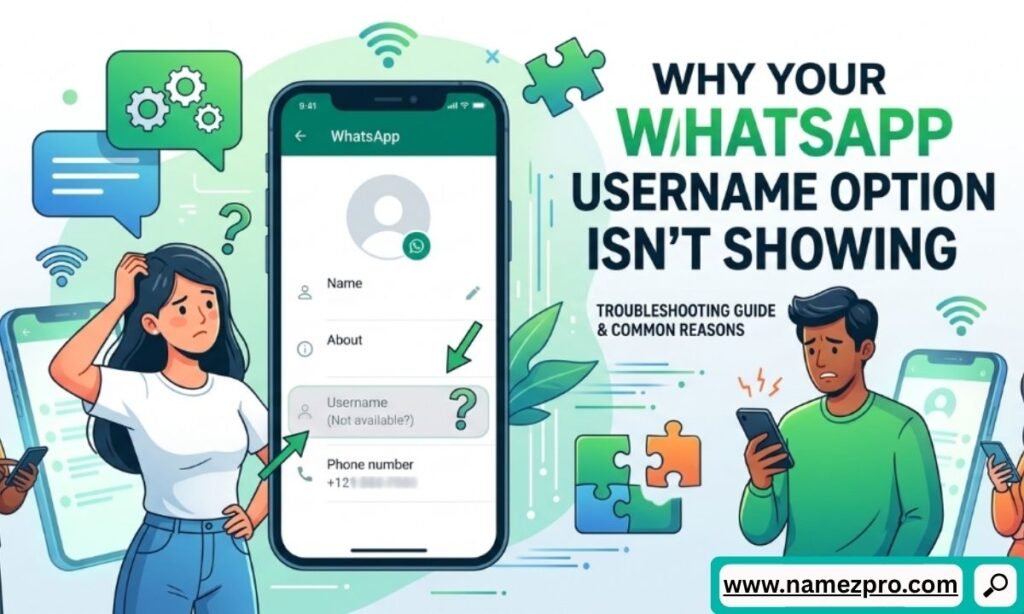
This is likely the reason you’re here, and it’s the most common frustration with this update right now. The WhatsApp username feature is rolling out gradually — by region, by app version, and even by individual account — rather than switching on for everyone simultaneously. Here are the most common reasons it’s not showing up yet.
Reason 1: Your Region Hasn’t Received the Rollout Yet
WhatsApp is pushing this update out in phases through 2026, country by country. Even within the same country, accounts are activated in waves rather than all at once. This is standard practice for Meta-owned products and helps the company monitor server load and abuse patterns before a full global launch.
Reason 2: Your App Version Is Out of Date
If you haven’t updated WhatsApp recently, you may simply be running a version that predates the username rollout in your codebase. Head to the Google Play Store (Android) or Apple App Store (iPhone) and check for pending updates.
Reason 3: You’re Checking WhatsApp Web Instead of Mobile
As mentioned earlier, username creation and reservation are mobile-only right now. If you’re looking for the option on your browser or desktop app, it won’t be there yet regardless of your rollout status.
Reason 4: Personal vs. Business Account Timing Differs
The rollout schedule for the standard WhatsApp app and the WhatsApp Business app aren’t perfectly synchronized. If you’re using a business account, don’t assume the feature is broken just because a friend with a personal account already has it.
What to do while you wait:
- Make sure you’re on the latest WhatsApp version at all times.
- Check Settings > Account > Username periodically — the option appears automatically once your account is activated, no manual request needed.
- If reservations are open in your region but full activation isn’t, reserve your preferred handle now so it’s locked in before someone else grabs it.
Read Also: 250+ Funny CEO Names: The Ultimate 2026 Guide to Executive Humor
Username Key: How to Control Who Can Contact You
One of the smartest parts of this entire update is something WhatsApp added almost as a footnote: the username key. This is WhatsApp’s own official term for the feature, described in its Help Center as “an optional setting that gives you more control over who can contact you by your username.”
Here’s the problem it solves. Once your username is public — say, you put it on a business card or share it on social media — anyone who knows it could theoretically message you, even without ever having interacted with you before. That’s a real privacy gap, since a public username, by design, is meant to be shared widely.
According to WhatsApp’s official documentation, enabling a username key means “people who want to reach you by your username will need to enter your username key before they can send you a message for the first time.” People who already have your phone number saved, or who are already in a group with you, don’t need the key to message you — only brand-new contacts reaching you through your username are affected.
Worth knowing: Several tech outlets covering the rollout have described the username key informally as a “PIN,” with some reporting it requires a minimum of four digits. WhatsApp’s official Help Center doesn’t specify an exact digit count in its published documentation, so treat the precise format as subject to change until you see it confirmed inside your own app’s settings.
How to set up your username key:
- Go to your WhatsApp profile settings.
- Locate the Username Key option, found near your username settings.
- Enable it and set the code requested by the app.
- Share this key selectively for example, give it out alongside your username at a networking event, but leave it off your public Instagram bio.
This effectively gives you two tiers of contactability: people who can find you through your username alone, and a more trusted tier who also have your key. It’s a thoughtful middle ground between full privacy and full openness.
Changing, Deleting & Reclaiming a WhatsApp Username
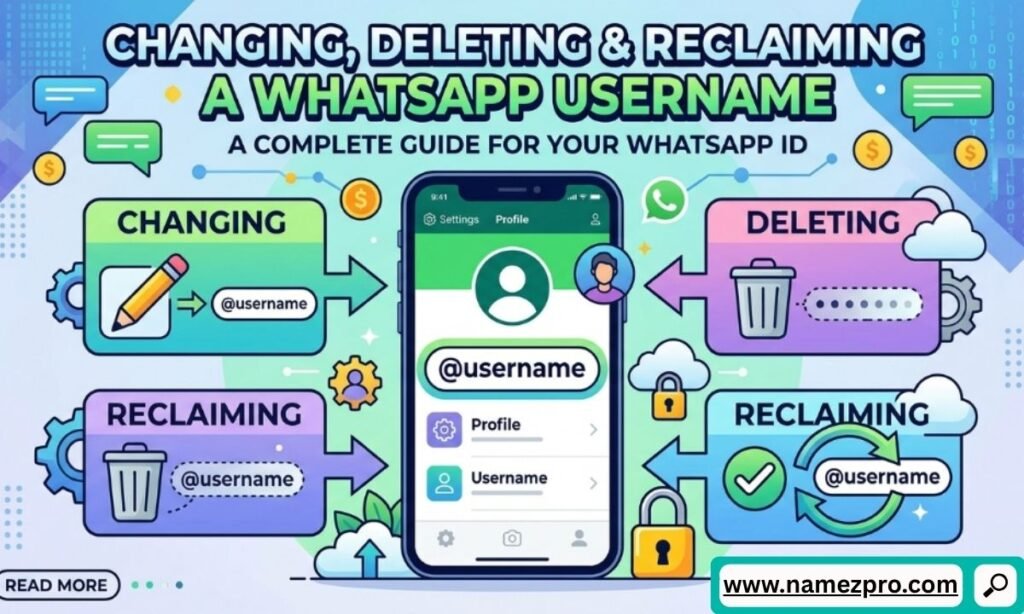
Usernames aren’t locked in forever, but there are limits worth knowing before you start experimenting.
Changing your username:
- Tap the area around your profile photo.
- Tap Username > Edit > Change username.
- Enter your new preferred handle and wait for the availability check.
- Tap Save > Done.
There’s a cap on how many times you’re allowed to change your username WhatsApp hasn’t published an exact number publicly, but the limit exists specifically to prevent handle-squatting and abuse, where someone cycles through usernames to impersonate others or evade being blocked.
Important: once you change your username, your old one may immediately become available for someone else to claim. If you want it back, you’ll need to check its availability quickly through the same “change username” flow.
Deleting your username:
- Tap the area around your profile photo.
- Tap Username > Edit > Delete username > Delete.
According to WhatsApp’s Help Center, deleting your username gives you a 14-day window to reclaim it before it becomes available to others. After that window closes, it’s first-come-first-served like any other unclaimed handle. Note also that WhatsApp confirms if you delete your username, your phone number becomes visible again to people who message you, since the username was the thing standing in for it.
Is a WhatsApp Username Actually Safer Than Your Phone Number?
This is worth addressing honestly rather than just promoting the feature uncritically, because the safety picture is genuinely nuanced.
What a username hides:
- Your phone number, when someone messages you through your handle instead of dialing your number directly.
- Any data tied specifically to number lookup (some apps and websites allow reverse phone-number searches; a username sidesteps that entirely).
What a username does not hide:
- Your display name, profile photo, and “About” text are still visible to anyone who messages you, unless you’ve separately locked down those privacy settings.
- WhatsApp’s conversations remain protected by end-to-end encryption regardless of whether you’re contacted by number or username — the username doesn’t change your encryption status, it changes your discoverability.
- A leaked or guessed username can still be a vector for spam if you haven’t set a Username Key.
Practical scenarios where this genuinely helps:
- Marketplace sellers: Posting a username on Facebook Marketplace or a classifieds site instead of a phone number reduces the number of strangers who get permanent access to your real number.
- Networking events: Swapping usernames with new contacts feels lower-commitment than swapping numbers, especially for casual or professional acquaintances you’re not sure you’ll stay in touch with.
- Dating app crossovers: Many dating apps eventually move conversations to WhatsApp. A username lets that handoff happen without exposing your number to someone you’ve only just met.
WhatsApp Usernames for Business Accounts
If you run a business account on WhatsApp, this update has direct implications for how customers reach you.
- Business accounts can claim usernames too, following a rollout timeline that may differ slightly from personal accounts.
- Businesses can carry over an existing Instagram or Facebook handle specifically for use on the WhatsApp Business app, which is useful for maintaining consistent branding across all three platforms.
- For customer-facing contact info on websites, ads, or printed materials a username is arguably a stronger choice than a phone number, since it doesn’t expose a number that might also be used for sensitive business operations like banking OTPs.
Common Mistakes to Avoid When Choosing a Username
- Picking something too generic. Common first-name-only handles are likely already taken given WhatsApp’s billions of users.
- Ignoring the username key. Skipping this setting means anyone who finds your username can message you, with no first layer of filtering.
- Not reserving early in regions where reservation has opened but full activation hasn’t popular handles disappear fast.
- Assuming Instagram/Facebook handle syncing is automatic. It isn’t; changes on one platform don’t carry over to WhatsApp without manual updates.
- Overusing numbers or symbols just to get past availability checks, making the handle hard to remember or say aloud.
Key Takeaways
- A WhatsApp username is an optional, globally unique handle that lets people contact you without knowing your phone number.
- It does not replace your phone number registration still requires one, and existing contacts are unaffected.
- The feature is rolling out gradually by region, device, and account type, which is the most common reason it’s not showing up yet.
- The username key (informally called a PIN by some media coverage) adds an extra layer of control over who can message you for the first time.
- Usernames can be changed and deleted, but with a change-frequency limit and a WhatsApp-confirmed 14-day window for reclaiming deleted handles.
- Business accounts get the same core functionality, with added benefits for cross-platform brand consistency.
Frequently Asked Questions
Yes. A phone number is still required to create a WhatsApp account at all. The username is an additional, optional layer for how other people can reach you — it doesn’t remove or hide your number from your account setup.
No. When someone contacts you using your username, they see your username and profile information — not your underlying phone number, unless you’ve previously exchanged numbers another way.
No. Usernames are globally unique across WhatsApp’s entire user base of more than 3 billion people, with no duplicate-name or numbered-tag system.
No. Reserving and creating a username is a free, built-in feature of the standard WhatsApp app.
There’s no published country-by-country schedule. The safest approach is to keep your app updated and periodically check Settings > Account > Username the option appears automatically once your account is activated.
Not currently. Username creation and reservation are limited to the mobile app for now.
A username can be transferred when you change your phone number within the same device. Transferring a username across two completely different devices isn’t currently supported.
Your profile name is how existing saved contacts already see you and isn’t unique. Your username is a globally unique handle specifically designed to let new people contact you without your phone number.
Final Thoughts
The introduction of WhatsApp usernames marks one of the platform’s biggest privacy updates in years. Instead of relying solely on phone numbers, users now have a more flexible way to connect while keeping their personal contact information better protected.
Although the feature is still rolling out gradually, it’s expected to become a standard part of the WhatsApp experience. If you already have access, choose a username that’s unique, easy to remember, and aligned with your personal or professional identity. If you don’t see the option yet, keep your app updated and check back periodically as WhatsApp continues expanding the rollout.
As more users gain access, understanding how usernames work—from the creation process and official rules to privacy settings and the Username Key—will help you take full advantage of this new feature while staying in control of who can contact you.
Before you go, grab your username idea from our free tool it’s fast, fun, and totally free!
Get instant name ideas no signup needed